
Business

cloud storage

choosing a business Cloud Storage Solution

In today’s data-driven world, the importance of reliable data storage and recovery solutions cannot be overstated as users now seek secure and efficient storage solutions to manage their critical information. Cloud storage has emerged as an indispensable and versatile tool, offering a variety of services from different providers.In this blog we will explore leading cloud storage brands, conduct a cost comparison, outline the compelling reasons for their effectiveness in a business context, and help you make the best decision when choosing the solution that aligns with your required needs. Cloud Storage Providers Microsoft AzureMicrosoft Azure provides a pay-as-you-go pricing framework. Expenses are contingent on the services employed, storage capacity, and data transfers.– Noteworthy FeaturesAzure stands out for its seamless integration with Microsoft products, making it an attractive choice for businesses already invested in the Microsoft ecosystem. It excels in hybrid cloud capabilities, enabling organisations to seamlessly combine on-premises and cloud resources while maintaining top-notch compliance and security features. Many businesses already using M365 for their mail, don’t realise they are already invested in Azure, and its simply a case of using the functionality they are already paying for. Amazon Web Services (AWS)AWS adopts a pay-as-you-go model, rendering it adaptable to businesses of all dimensions. Pricing fluctuates according to the specific services and storage preferences chosen.Noteworthy FeaturesAWS is known for its exceptional scalability, robust security measures, and a vast ecosystem of cloud services. This allows businesses to easily expand their infrastructure, ensuring data security, and access a wide array of cloud tools and solutions. Google CloudGoogle Cloud follows a pay-as-you-go system with competitive pricing. Costs are contingent upon the volume of data stored and data transfer.– Noteworthy FeaturesGoogle Cloud offers advanced analytics and machine learning capabilities, making it particularly appealing to data-driven businesses. It provides powerful tools for extracting insights from large datasets and leveraging machine learning algorithms to drive innovation. Dropbox BusinessDropbox Business presents tiered pricing structures, offering features such as file recovery and smart sync. Costs are predicated on the number of users and storage prerequisites.– Noteworthy FeaturesDropbox Business provides user-friendly file sharing and collaboration tools. It emphasises simplicity and ease of use, making it a popular choice for businesses looking for a straightforward and efficient file storage and sharing solution. Why Cloud Storage is EffectiveScalabilityCloud storage facilitates seamless scaling of storage requirements without the complexities associated with procuring and managing physical hardware.Cost EfficiencyCloud storage mitigates capital expenditure on infrastructure. With flexible pay-as-you-go models, businesses optimally manage costs in line with consumption.AccessibilityThe cloud enables remote data access, allowing for user’s access from anywhere in the worldSecurityLeading cloud providers invest in security measures, encompassing encryption and compliance certifications, assuring robust data protection.Data Backup and RecoveryMultiple data centres maintained by cloud storage providers ensure data redundancy and robust disaster recovery capabilities.Automatic Updates and MaintenanceInfrastructure maintenance and software updates are managed by cloud providers, liberating businesses from these responsibilities. Choosing the Right Cloud Storage for Your BusinessSmall Enterprises (1-50 Employees)We’d recommend you consider the storage solution alight with what mail you’re using. So for Microsoft M365 users, go OneDrive and SharePoint, and for Gmail users, go for Google Drive. Consider Dropbox Business or Google Cloud Storage for additional storage and their user-friendly interfaces and cost-effectiveness.Medium-Sized Companies (100-250 Employees)Microsoft Azure offers a balanced solution with hybrid cloud capabilities, while AWS provides scalability and an extensive service catalogue.Large Corporations (500+ Employees)For larger enterprises, AWS and Azure stand out due to their scalability, security features, and comprehensive service offerings.Data-Driven FirmsGoogle Cloud Storage is an excellent choice for advanced analytics and machine learning capabilities.Compliance-Oriented BusinessesMicrosoft Azure excel in compliance features, making them ideal for businesses with stringent regulatory requirements. Final thoughtsPicking the right cloud storage option depends on what you need, budget, and your future plans.Taking a close look at what each provider offers, how much it costs, and how easy it is to grow with them will help you the best choices that fits your organisation’s needs. So, it is a good idea to stay up to date with the newest choices and improvements to keep your business flexible and competitive in the digital world. For more information or a discussion with one of our team, get in touch.

Unlocking Efficiency: How to Support Remote Workers with their Printing Needs

The modern workplace has undergone a profound transformation due to the pandemic, with remote work becoming the new norm.As businesses adapt to this evolving landscape, one crucial aspect that requires attention is how to effectively support remote workers with their printing needs. In this blog post, we present a comprehensive guide to help office managers and business owners address this essential issue. Understanding Remote Workers’ Printing Needs: The first step towards providing optimal printing support is gaining insight into the unique requirements of remote workers. By communicating with your team about the types of documents they need to print, printing frequency, and colour preferences, you can tailor your printing resources accordingly. Providing Convenient Access to Printers: Once you have a clear understanding of your remote workers’ printing needs, it’s time to equip them with the necessary printing tools. This can involve either providing individual printers or ensuring access to nearby printing facilities, considering their locations and convenience. Embracing Cloud-Based Printing Solutions: Cloud-based printing solutions offer a seamless and efficient way to support remote workers’ printing needs. These solutions enable them to print documents from anywhere, leveraging an internet connection, and eliminate the need for additional software or complex network configurations. Setting Printing Guidelines for Efficiency: To promote responsible printing practices, it’s essential to establish clear printing guidelines for your remote workforce. Consider implementing measures like double-sided printing limits, encouraging the use of electronic documents, and promoting printing only when necessary to reduce costs and minimise waste. Ensuring Document Security: Security is a paramount concern when it comes to printing, particularly for confidential documents. Implementing secure print release, requiring authentication for printing, and ensuring prompt collection of printed materials are crucial steps to safeguard sensitive information and protect against potential data breaches. Offering Technical Support: Comprehensive technical support is key to helping your remote workers navigate any printing challenges they may encounter. Provide training on printing software and equipment usage, troubleshoot printer issues, and grant access to IT support for more complex printing problems to ensure a smooth printing experience. Supporting remote workers with printing is an indispensable aspect of thriving in the evolving work landscape. By understanding their needs, providing access to printers, leveraging cloud-based solutions, implementing printing guidelines, ensuring document security, and offering technical assistance, businesses can empower their remote workforce for success. Whether you’re an office manager or a business owner, taking proactive steps to support your remote workers’ printing needs will contribute to a productive and efficient remote work environment.

document management document workflow archiving scanning document retrieval

Streamlining Success: The Importance of Document Management for SME Buinesses

Introduction:In today’s digital age, successful businesses must recognize the vital role of efficient document management. Small and medium-sized enterprises (SMEs) in the UK face unique challenges in handling their documents. Today’s blog emphasises the significance of effective document management for UK SMEs, providing valuable insights, facts, and figures that highlight the transformative power of streamlined document processes. Understanding Document Management:Effective document management involves organizing, storing, and tracking documents. It encompasses not only physical paperwork but also digital files, emails, invoices, contracts, and more.An efficient system ensures easy retrieval, enhanced collaboration, and compliance with legal and regulatory requirements. Boosting Productivity with Streamlined Processes:Implementing a robust document management system can significantly enhance productivity for UK SMEs. By reducing the time spent searching for information and streamlining workflows, employees can focus on core tasks, leading to improved efficiency. Studies indicate that UK SMEs that embrace digital document management experience an average productivity increase of 20-25% compared to those relying on manual processes. Driving Cost Reductions through Efficiency:Document management systems drive substantial cost savings for UK SMEs. By eliminating the need for physical storage, reducing printing costs, and minimizing manual document handling, businesses can save on operational expenses. Research suggests that effective document management can result in cost reductions of up to 30% for UK SMEs, freeing up resources to invest in growth initiatives. Enhancing Collaboration for UK SMEs:Seamless collaboration is vital for the thriving of UK SMEs. Document management systems provide a central platform where employees can easily access, share, and collaborate on files. This fosters efficient teamwork, reduces communication barriers, and accelerates decision-making processes. According to a survey, UK businesses with effective document collaboration experience a 30% improvement in project completion times. Mitigating Risks with Effective Management:Proper document management is crucial for mitigating risks associated with data breaches, non-compliance, and legal challenges. UK SMEs often handle sensitive customer information and must adhere to data protection regulations. By implementing security measures like encryption, access controls, and regular backups, businesses can safeguard their documents and protect their reputation. Scaling for Growth with Flexible Solutions:As UK SMEs grow, their document management needs to evolve. A scalable document management system provides the flexibility to accommodate increased document volumes, additional users, and expanding operations. This adaptability ensures that as the business expands, document management processes can seamlessly support the growing demands. Leveraging Technology for Efficient Workflows:Modern document management systems leverage advanced technologies such as artificial intelligence (AI) and machine learning (ML). These technologies automate document categorization, data extraction, and indexing, reducing manual effort and improving accuracy. AI-powered optical character recognition (OCR) can convert scanned documents into editable text, enabling quick and efficient data retrieval. Key Takeaways:The significance of effective document management cannot be overstated for UK SMEs. Streamlining document processes through digital solutions not only improves productivity and collaboration but also reduces costs, mitigates risks, and supports growth. Embracing a comprehensive document management system equips UK SMEs with the tools they need to thrive in a competitive business landscape.

hybrid working

Cloud computing vs Local computing for businesses: Which one is right?

In today’s digital age, technology plays an important role in driving efficiency, productivity, and growth. As a business owner, you need to choose between local computing, where your data and applications are hosted on your hardware, and cloud computing, where you access computing resources and applications via the internet. In this blog post, we’ll explore the pros and cons of each approach to help you make an informed decision. Local Computing Local computing, also known as on-premises computing, involves running your business applications and storing your data on your hardware. This could be a server in your office or a data centre you own and operate. Here are some of the advantages and disadvantages of local computing: Advantages:You have complete control over your data and applicationsYou can customize your IT infrastructure to suit your specific needsYou can keep your data and applications secure behind your firewall Disadvantages:You have to bear the cost of buying and maintaining your hardwareYou have to deal with software updates and security patches yourself Scaling your IT infrastructure can be a challenge if your business grows Cloud ComputingCloud computing involves accessing computing resources and applications over the internet from a third-party provider. You can choose between public cloud providers like Amazon Web Services (AWS), Microsoft Azure, Google Cloud, or private cloud providers that offer cloud computing solutions designed for businesses. Here are some of the advantages and disadvantages of cloud computing: Advantages:You don’t have to buy or maintain your hardwareScalable based on your business needsYou can access your data from anywhere with an internet connection Disadvantages:You have to trust your cloud provider with your data and applicationsYou may have limited control over your IT infrastructureYou may have to pay for extra services or features you don’t need Which is right for your business?Choosing between cloud computing and local computing ultimately depends on your specific business needs and preferences. If you have the resources and expertise to manage your hardware and software, local computing might be the right choice for you. On the other hand, if you want to focus on your core business activities and don’t want to deal with IT infrastructure management, cloud computing might be the better option. When considering cloud computing, you should also consider the location of your cloud provider. UK businesses may prefer a UK-based cloud provider to ensure compliance with UK data protection laws like GDPR. In conclusion, both local computing and cloud computing have their pros and cons, and the right choice depends on your specific business needs. By understanding the advantages and disadvantages of each approach, you can make an informed decision that will help you achieve your business goals.

hybrid working

Maximizing Productivity: The Benefits of Hybrid Work for Your Business

You’ll know that adapting to change is essential for staying ahead of the curve. And if there’s one thing that the COVID-19 pandemic taught us, it’s that remote work is here to stay. But now, there’s a new way of working, hybrid work. Hybrid work is a flexible arrangement that allows your employees to split their time between working from home and coming into the office. By offering this option, you can create a happier, more motivated workforce that’s able to find the perfect work-life balance. One of the main advantages of hybrid work is increased flexibility. With this approach, you can accommodate a wider range of schedules and help your employees balance their personal and professional responsibilities. This can be particularly important for working parents or caregivers who may need to adjust their schedules on short notice. By offering this option, you’ll be able to attract and retain top talent who are looking for a better work-life balance. Another benefit of hybrid work is increased productivity. Studies have shown that employees who work from home are often more productive than those who work in the office. By avoiding the distractions and interruptions that can come with working in an office environment, employees can focus on their work and get more done in less time. And by giving employees the option to work from home or the office, you’ll be able to help them find the perfect work environment that suits their needs. But the benefits of hybrid work don’t stop there. It also has the potential to save your business money on office space and other expenses. With fewer employees in the office on any given day, you can reduce your real estate footprint and potentially lower your overhead costs. Plus, by allowing employees to work from home part of the time, you can cut back on expenses like office furniture, equipment, and utilities. This can be a significant cost savings for your business. Of course, there are some potential downsides to hybrid work as well. Maintaining a strong company culture can be more difficult when employees are spread across different locations, and some employees may struggle to adapt to the new way of working, particularly if they’re used to a more traditional office environment. But with the right tools and strategies in place, these challenges can be overcome. Overall, the rise of hybrid work is an exciting development for businesses like yours. By combining the best of both remote and in-person work, you can offer your employees more flexibility, boost productivity, and save money in the process. This creates a happier, more motivated workforce that’s able to find the perfect work-life balance. So, if you haven’t already, it’s time to start thinking about how you can implement hybrid work in your business. By doing so, you’ll be able to stay ahead of the curve and create a work environment that’s more attractive to your employees. With the right tools and strategies in place, hybrid work can help you take your business to the next level.

disaster-recovery-plan

Why your business needs a disaster recovery plan

As a UK business owner, it’s crucial to prepare for unexpected events that could disrupt your operations, such as cyber-attacks, which can have a catastrophic impact on your business and its data. That’s why having a disaster recovery plan in place is essential. A disaster recovery plan is a pre-emptive approach that ensures your business can recover quickly and efficiently from any disaster or crisis. It’s a comprehensive document that outlines procedures and protocols to follow so that you don’t waste time figuring out what to do next. It covers every aspect of your business, from data backup to employee safety and customer communication. Here are some of the benefits your business can gain from having a recovery plan in place: Reduced downtime:One of the primary benefits of having a disaster recovery plan is that it minimizes downtime, which can be detrimental to your operations. A disaster recovery plan can help you minimize the time your business remains inactive, ensuring you can recover and return to normal operations. Data protectionAnother significant benefit of a disaster recovery plan is that it protects your data. Data is the lifeblood of any business, and losing it can be catastrophic. A disaster recovery plan ensures that all your critical data is backed up, so in the event of a disaster, you can quickly recover your data and resume your operations without much disruption. Business continuityA disaster recovery plan also ensures business continuity. Disruptions can be significant, and without a recovery plan, you risk losing customers and damaging your reputation. This is particularly important in today’s digital age, where customers expect businesses to be available 24/7. Regulation complianceCompliance with regulations is another critical aspect of having a disaster recovery plan. In the UK, businesses must comply with regulations like GDPR, which require companies to protect their data from potential breaches. A disaster recovery plan ensures that your business is regulation-compliant, avoiding potential legal issues in the future. This is especially important for businesses that handle sensitive data, such as financial or healthcare information. Peace of mindKnowing that your business is ready for any disaster means that you can focus on growing your business, knowing that if a crisis occurs, you have set plans to handle it effectively. Recovery plans are essential not just for business owners but also for employees. Who feel more secure knowing that their employer has a plan to protect them in the event of a disaster. ConclusionA disaster recovery plan is essential for any UK business owner. It ensures that your business can quickly recover from disruption, safeguarding your business, employees, and customers. Don’t wait until disaster strikes. Act now and get in touch today to develop a comprehensive disaster recovery plan to protect your business.

SharePoint Online

Benefits of using SharePoint online, building a cost effective Intranet within SMEs

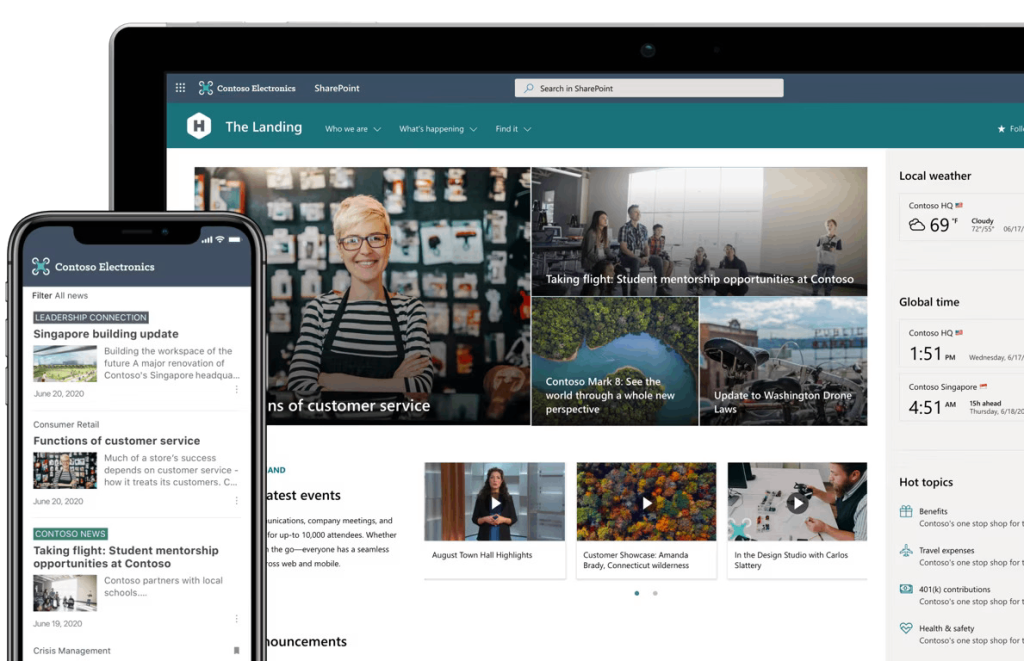
SharePoint Online is a cloud-based platform developed by Microsoft that provides a wide range of features to create, share, and manage content, collaborate with others, and automate business processes. One of the key advantages of SharePoint Online is that it allows businesses of all sizes to build a cost-effective Intranet, which is a private network that is only accessible to the employees of the organisation. In this blog, we will discuss the benefits of using SharePoint Online to build an Intranet within Small and Medium-sized Enterprises (SMEs).

Firewall

Upgrading your Firewall

A firewall is a crucial component of any small and medium-sized enterprise (SME) network security infrastructure. A firewall acts as a barrier between the internet and the internal network, protecting against unauthorized access, malware, and other cyber threats.

file retention

Benefits of Microsoft 365 File Retention policies

Microsoft 365 is a comprehensive suite of cloud-based services and applications that offer numerous benefits to businesses and organizations of all sizes. One of the key features of Microsoft 365 is the file retention policy, which allows organisations to keep important data for a specified period of time. In this blog, we will discuss the benefits of Microsoft 365 file retention policies and how they can help businesses to streamline their data retention and management processes.